> ## Documentation Index
> Fetch the complete documentation index at: https://docs.hivenet.com/llms.txt
> Use this file to discover all available pages before exploring further.
# How to get your instance ID
> Learn how to find and copy your instance ID from the Hivenet console for support or troubleshooting.
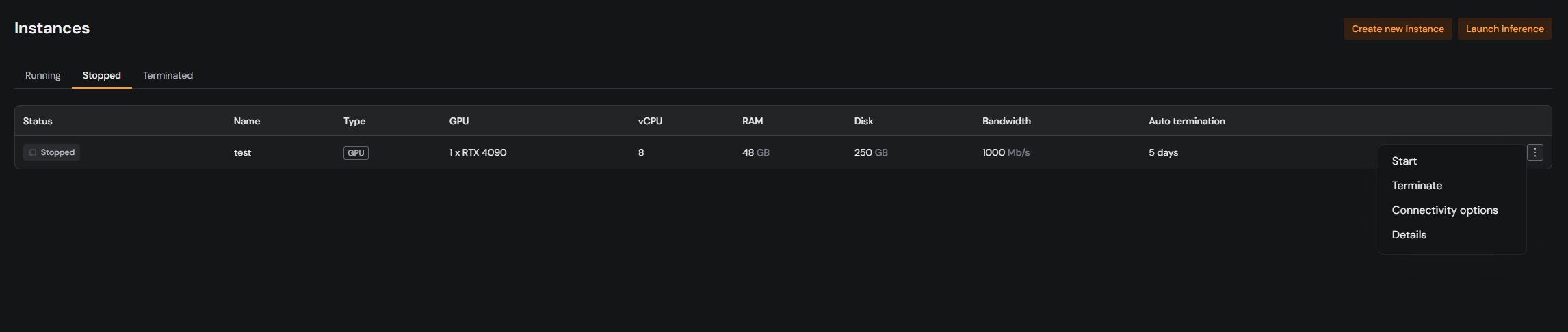
Sometimes support may ask you to share your instance ID. This unique identifier helps us quickly locate the instance you’re referring to. Here’s how to find it in the Hivenet console.
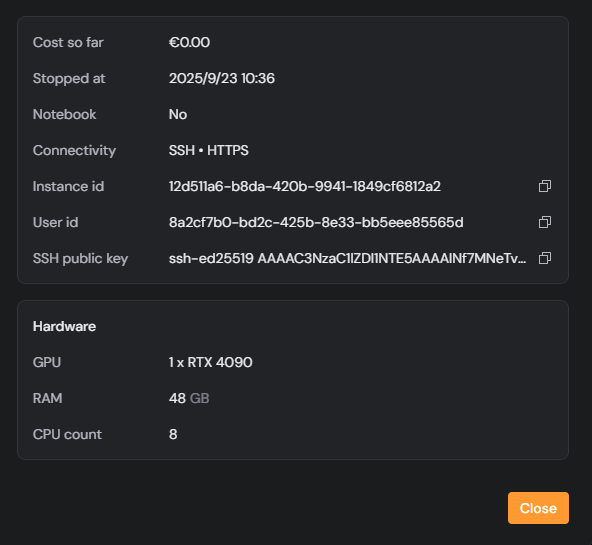 Your instance ID is not the same as the instance name. The name is chosen by you, while the ID is automatically generated and unique.
Do not confuse the instance ID with your **User ID** or **SSH key**. Support usually only needs the instance ID.
Your instance ID is not the same as the instance name. The name is chosen by you, while the ID is automatically generated and unique.
Do not confuse the instance ID with your **User ID** or **SSH key**. Support usually only needs the instance ID.