EVO2 40B is a 40-billion-parameter biological foundation model for DNA sequence generation and analysis. This tutorial walks you through creating a custom NIM template, deploying it on a 4 × RTX 4090 instance, and running inference endpoints. Estimated time: 15–20 minutes (includes model download)

What you’ll need

  • A Compute with Hivenet medium instance (4 × RTX 4090 GPUs)
  • A valid NVIDIA NGC API key

Steps

1

Create the custom NIM template

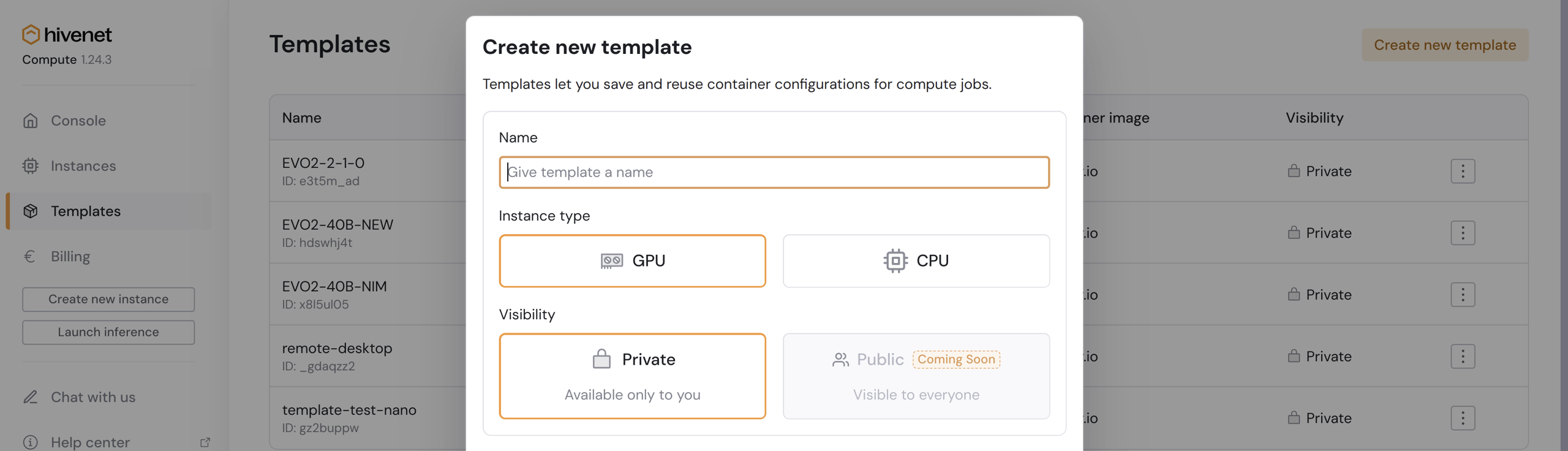
  • In the Compute console, go to TemplatesCreate new template. Evo2 40b Guide 1 Pn
  • Give your template a name, then enter the following custom image URL:
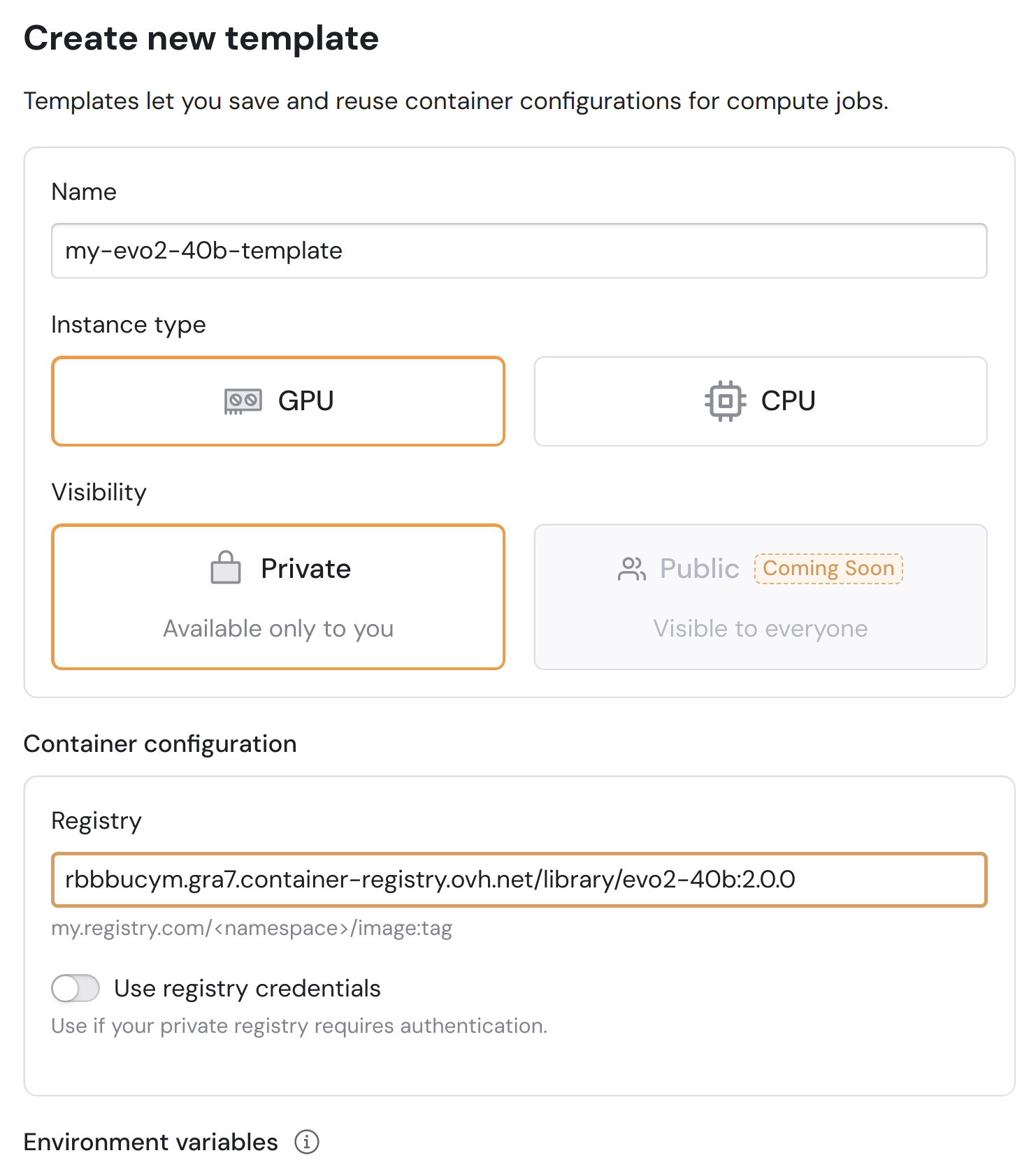
    rbbbucym.gra7.container-registry.ovh.net/library/evo2-40b:2.0.0
    
    Evo2 40b Guide 2 Pn
  • Add an environment variable called NGC_API_KEY, and set your personal NVIDIA API key as the value. Evo2 40b Guide 3 Pn
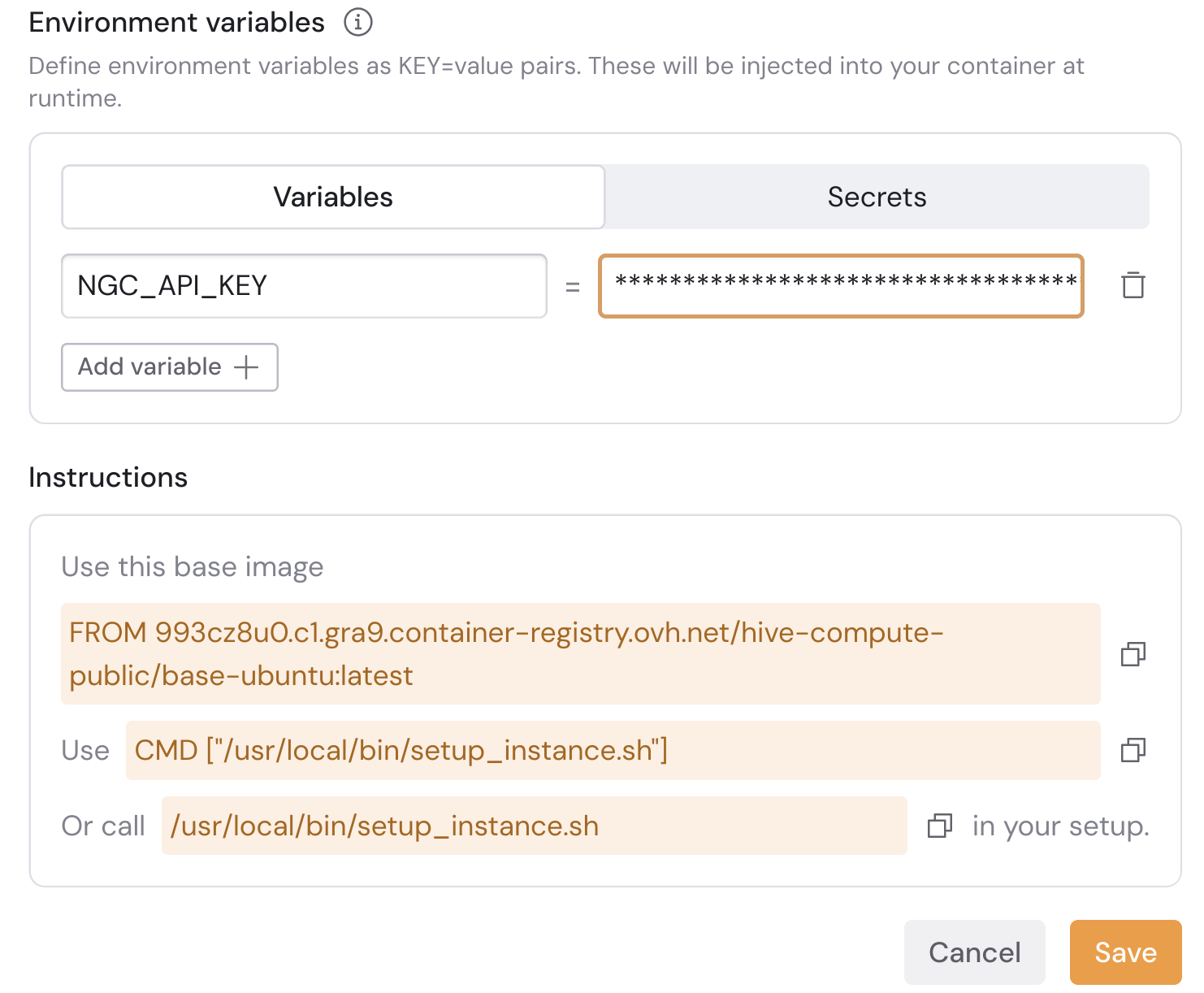
  • Click Save.
This container image is based on the official EVO2 40B NIM container and made compatible with Hivenet’s Compute environment.
2

Create a medium instance

  • From the Compute console, select Create new instance.
  • Choose your location.
  • Under Setup, pick 4 × RTX 4090.
  • In Template, select the custom template you just created (e.g. my-evo2-40b-template).
  • Under Connectivity, add your public SSH key (if not already added) and expose HTTPS port 8000.
  • In Instance name, give your instance a name (e.g. my-evo2-40b-instance).
  • Click Create instance and wait until its state changes to Running.
The first start can take several minutes while the image initializes.
3

Use your EVO2-40B model

Once your instance is running, open the Logs panel.The NIM container automatically downloads the model weights (~ 80 GB).You’ll see messages similar to this once it starts serving:
2025-10-14 12:12:18	INFO:nimlib.nim_inference_api_builder.api:{'message': 'Starting HTTP Inference server', 'port': 8000, 'workers_count': 1, 'host': '0.0.0.0', 'log_level': 'info', 'SSL': 'disabled'}
2025-10-14 12:12:18	  0.0.0.0:8000/v1/manifest (GET)
2025-10-14 12:12:18	  0.0.0.0:8000/v1/metadata (GET)
2025-10-14 12:12:18	  0.0.0.0:8000/v1/license (GET)
2025-10-14 12:12:18	  0.0.0.0:8000/v1/metrics (GET)
2025-10-14 12:12:18	  0.0.0.0:8000/v1/health/ready (GET)
2025-10-14 12:12:18	  0.0.0.0:8000/v1/health/live (GET)
2025-10-14 12:12:18	  0.0.0.0:8000/biology/arc/evo2/generate (POST)
2025-10-14 12:12:18	  0.0.0.0:8000/biology/arc/evo2/forward (POST)
2025-10-14 12:12:18	INFO:nimlib.nim_inference_api_builder.api:Serving endpoints:
2025-10-14 12:12:18	INFO 2025-10-14 10:12:18.042 http_api.py:73] {'message': 'Starting HTTP Inference server', 'port': 8000, 'workers_count': 1, 'host': '0.0.0.0', 'log_level': 'info', 'SSL': 'disabled'}

Check model health

When the model is ready, test the health endpoint:
curl -X GET "https://<YOUR_INSTANCE_ID>-8000.tenants.hivenet.com/v1/health/ready"
You should receive:
{"status":"ready"}
You can also check metadata:
curl -X GET "https://<YOUR_INSTANCE_ID>-8000.tenants.hivenet.com/v1/metadata"

Run inference

To generate a short DNA sequence example:
curl -X POST "https://<YOUR_INSTANCE_ID>-8000.tenants.hivenet.com/biology/arc/evo2/generate" \
  -H "Content-Type: application/json" \
  --data '{
    "sequence": "ACTGACTGACTGACTG",
    "num_tokens": 8,
    "top_k": 1,
    "enable_sampled_probs": true
  }'
Expected response (example):
{"sequence":"ACTGACTG","elapsed_ms":1319}

(Optional) Monitor GPU usage

You can SSH into your instance to check GPU activity:
ssh -i ~/.ssh/id_rsa -o "ProxyCommand=ssh [email protected] %h" nvs@<YOUR_INSTANCE_ID>.ssh.hivenet.com
Then run:
nvidia-smi
Here is an example output:
nvidia-smi
Tue Oct 14 11:22:42 2025       
+-----------------------------------------------------------------------------------------+
| NVIDIA-SMI 575.64.03              Driver Version: 575.64.03      CUDA Version: 12.9     |
|-----------------------------------------+------------------------+----------------------+
| GPU  Name                 Persistence-M | Bus-Id          Disp.A | Volatile Uncorr. ECC |
| Fan  Temp   Perf          Pwr:Usage/Cap |           Memory-Usage | GPU-Util  Compute M. |
|                                         |                        |               MIG M. |
|=========================================+========================+======================|
|   0  NVIDIA GeForce RTX 4090        Off |   00000000:01:00.0 Off |                  Off |
|  0%   29C    P8             17W /  450W |   22208MiB /  24564MiB |      0%      Default |
|                                         |                        |                  N/A |
+-----------------------------------------+------------------------+----------------------+
|   1  NVIDIA GeForce RTX 4090        Off |   00000000:23:00.0 Off |                  Off |
|  0%   30C    P8             30W /  450W |   22166MiB /  24564MiB |      0%      Default |
|                                         |                        |                  N/A |
+-----------------------------------------+------------------------+----------------------+
|   2  NVIDIA GeForce RTX 4090        Off |   00000000:41:00.0 Off |                  Off |
|  0%   27C    P8              9W /  450W |   22296MiB /  24564MiB |      0%      Default |
|                                         |                        |                  N/A |
+-----------------------------------------+------------------------+----------------------+
|   3  NVIDIA GeForce RTX 4090        Off |   00000000:61:00.0 Off |                  Off |
|  0%   26C    P8              8W /  450W |   22210MiB /  24564MiB |      0%      Default |
|                                         |                        |                  N/A |
+-----------------------------------------+------------------------+----------------------+
                                                                                         
+-----------------------------------------------------------------------------------------+
| Processes:                                                                              |
|  GPU   GI   CI              PID   Type   Process name                        GPU Memory |
|        ID   ID                                                               Usage      |
|=========================================================================================|
+-----------------------------------------------------------------------------------------+

You’ve served EVO2 40B successfully

Your Compute instance is now hosting the EVO2 40B model through a NIM container, ready for inference requests. You can monitor usage directly from the Compute dashboard or SSH into the instance to view live GPU metrics.